
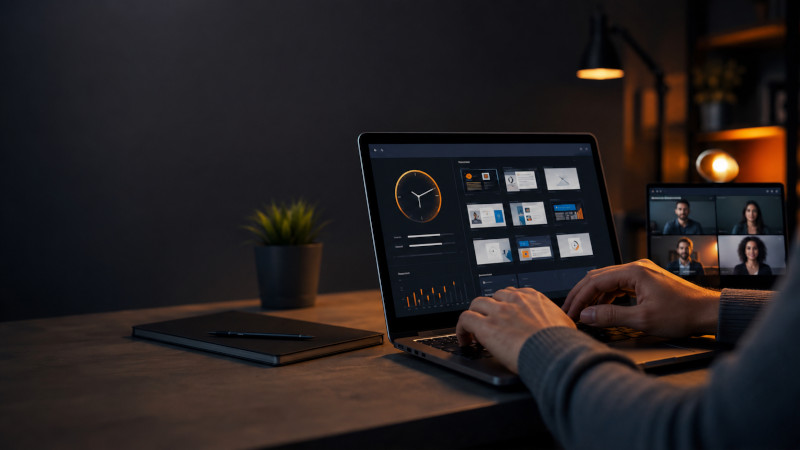
The New SCREENish Chrome Extension: Full Time Tracking, No Installation Required
Your whole team’s time tracking — screenshots, activity, idle detection and even team calls — now runs inside the one app every computer already has: the browser.
For years, accurate employee time tracking meant installing a desktop application. That works — until your team runs Chromebooks, locked-down corporate laptops, or machines where nobody has installer rights. The new SCREENish Chrome extension removes that wall: the complete SCREENish time tracker, rebuilt to live entirely inside Chrome.
Why a Chrome extension?
Because your team’s computers are no longer all the same. Today a distributed team might span a Windows PC in an office, a MacBook at home, a Linux workstation and a fleet of Chromebooks in a call center — and a Chromebook cannot install desktop software at all. The SCREENish extension gives every one of those machines the same time tracking, the same reports and the same dashboard, with nothing to install beyond the browser.
For companies managing devices with Chrome Enterprise, deployment is one policy: force-install the extension across the entire fleet in minutes — no visits to individual machines, no update chasing. Chrome keeps every seat current automatically.
How it works
The employee experience takes under a minute:
- Log in to the extension with your SCREENish account.
- Pick the project you’re working on.
- Press Start and choose your screen — Chrome’s own sharing dialog, so the employee always sees and confirms exactly what is shared.
From there, the extension quietly does its job: one screenshot per minute of the chosen screen, bundled into a report every 10 minutes that lands in the employer’s Work Logs — with the exact 10-minute spacing your dashboard timeline expects. Stop tracking (or end the screen share) and capture halts instantly; the extension has no access to the screen outside an active session.
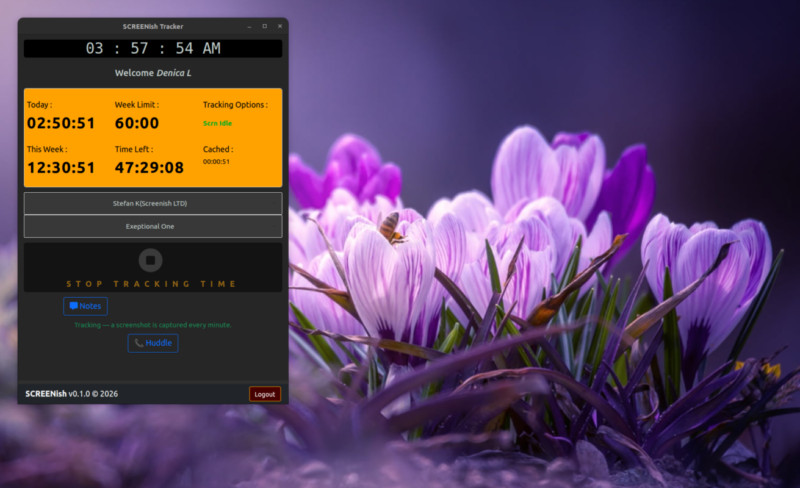
Built like a time vault: nothing gets lost
Most browser-based trackers lose data the moment the network hiccups. SCREENish’s extension was engineered with one uncompromising rule: recorded work is never lost — not to a dropped connection, not to a storage outage, not even to a wrong computer clock.
- Offline-proof: lose the internet mid-shift and everything — time and screenshots — is stored encrypted on the device and uploaded automatically when the connection returns, whether that’s in ten minutes or next Monday. Reports arrive complete, exactly as if the outage never happened.
- Clock protection: if a computer’s clock is wrong (a classic source of corrupted timesheets), the extension stops tracking, tells the employee exactly how to fix the clock on their operating system, and refuses to resume until it’s correct. Everything recorded beforehand stays safe and uploads once time is right.
- Encrypted at rest: screenshots and unreported time sit in the browser encrypted with a key that cannot be exported from the device.
Privacy your employees can actually read
Monitoring only works when the people being monitored trust it. The extension’s privacy model is deliberately narrow and fully documented:
- It records only the screen the employee selects, only while tracking — enforced technically, not by promise: the share picker offers full screens only.
- No keystroke logging, no mouse recording, no browsing history, no program list. Activity levels are derived purely from whether the computer is in use.
- Employees see their own screenshots in their dashboard, can delete them (with the corresponding time), and all screenshots are automatically deleted after 3 months.
- Away from the keyboard? The idle detection asks “Still there?” and books genuinely idle time separately — visible to the employer as idle, never silently billed as work.
Huddle: your team room, built in
The extension isn’t just surveillance-and-silence. Press Huddle and you get the team layer most trackers make you buy elsewhere:
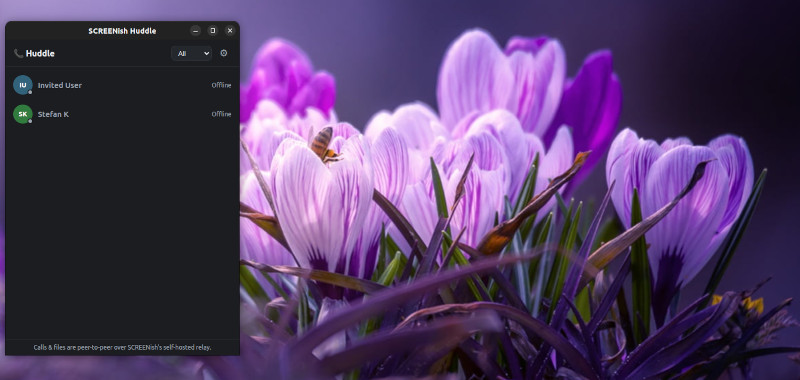
- Presence — see who’s online and who’s in a call, scoped to the team you’re tracking for.
- 1:1 chat with delivery ticks, replies and offline queuing. Messages are stored only on the participants’ own devices, encrypted.
- Audio and video calls in one click — never recorded, never stored.
- File sharing that skips the cloud entirely: files travel directly from device to device and never touch SCREENish servers.
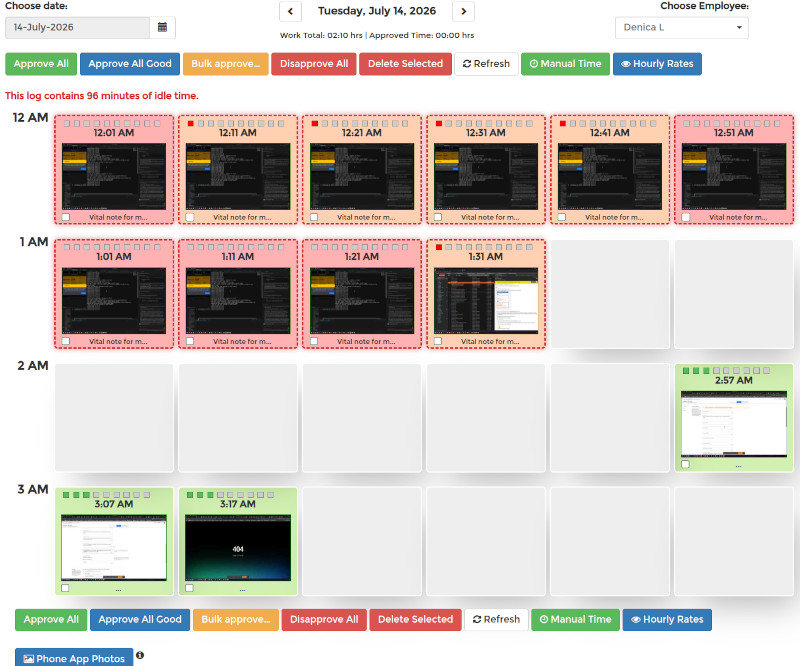
For the employer: the same dashboard you already know
Reports from the extension flow into the same SCREENish dashboard as the desktop apps — the same Work Logs screenshot grid, activity levels, idle accounting, accounting exports and approval workflow. Mixed teams simply work: some employees on the Windows/macOS/Linux desktop app, some on the extension, one consistent picture of the workday.
SCREENish extension vs. desktop app — which one?
| Desktop app | Chrome extension | |
|---|---|---|
| Windows / macOS / Linux | ✔ | ✔ (any OS with Chrome) |
| Chromebooks | — | ✔ |
| Installation rights needed | yes | no |
| Screenshots + activity + idle | ✔ | ✔ |
| Offline preservation | ✔ | ✔ |
| Team chat & calls | ✔ | ✔ |
| Fleet deployment | per machine | one Chrome Enterprise policy |
Try it with your team
The SCREENish Chrome extension is included in every SCREENish plan — and your first 10 days are free. Install the extension, invite your team, and see the first screenshots arrive in your dashboard within ten minutes.
SCREENish is time and attendance software for in-house and remote teams: screenshots, activity levels, idle detection, GPS tracking on Android, and now a full Chrome extension for browser-only and Chromebook teams.


